> For the complete documentation index, see [llms.txt](https://ajuda.dinelink.com.br/llms.txt). Markdown versions of documentation pages are available by appending `.md` to page URLs; this page is available as [Markdown](https://ajuda.dinelink.com.br/operacao/pedidos.md).

# Pedidos

O gerenciamento de pedidos agora conta com melhorias para facilitar o fluxo de trabalho e garantir maior eficiência.

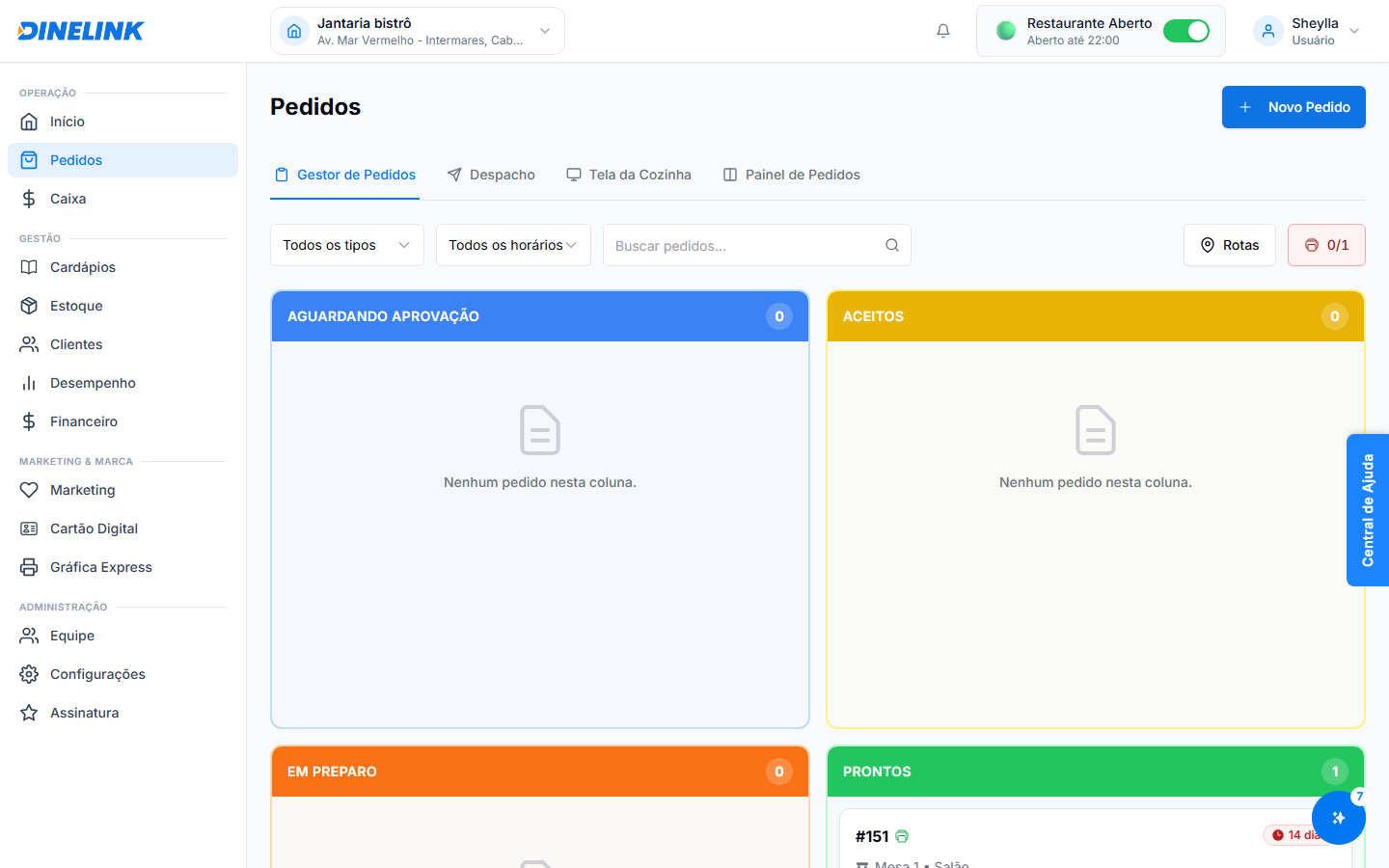
<figure><img src="https://2947002996-files.gitbook.io/~/files/v0/b/gitbook-x-prod.appspot.com/o/spaces%2Fz85goggNx1yLCQTiQSM4%2Fuploads%2Fgit-blob-ef8c6a01319df8aea0c6465fe32f39f01829b753%2Foperacao-pedidos.png?alt=media" alt="Aba Gestor de Pedidos com colunas por status"><figcaption><p>O Gestor de Pedidos organiza os pedidos em colunas por status — nesta captura só há um pedido pronto (#151); as demais colunas aparecem vazias.</p></figcaption></figure>

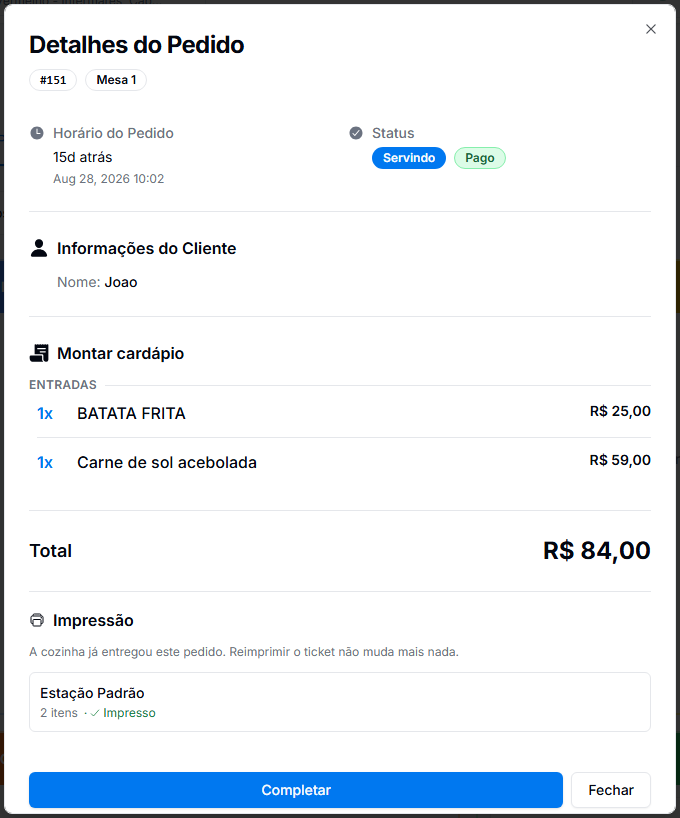
Clicar em um pedido abre o detalhe: horário, status, itens com valores, total, informações do cliente (quando houver) e o status de impressão por estação.

<figure><img src="https://2947002996-files.gitbook.io/~/files/v0/b/gitbook-x-prod.appspot.com/o/spaces%2Fz85goggNx1yLCQTiQSM4%2Fuploads%2Fgit-blob-7dcb9f7ed7a26232952062e25bde55e4b1173fe2%2Foperacao-pedidos-detalhe.png?alt=media" alt="Detalhe de um pedido aberto, com itens, total e status de impressão" width="640"><figcaption><p>O detalhe do pedido #151 — itens do pedido, total, e a estação que já imprimiu o ticket.</p></figcaption></figure>

Todo pedido percorre os mesmos estados, não importa por onde foi lançado — app do cliente, app de salão, PDV ou caixa.

```mermaid
stateDiagram-v2
    [*] --> Pendente: pedido lançado
    Pendente --> Preparando: a cozinha começa
    Preparando --> Pronto: item finalizado
    Pronto --> Completo: entregue na mesa ou retirado
    Pendente --> Cancelado
    Preparando --> Cancelado
    Completo --> [*]
    Cancelado --> [*]
    note right of Pronto
        No delivery, a etapa
        equivalente é "Entregue",
        concluída pelo entregador.
    end note
```

## Novidades

### Tradução de "Modo de Visualização"

Adicionamos a tradução da chave `orders.viewOnlyMode` para pt-BR, garantindo que a interface esteja completamente localizada.

{% hint style="info" %}
A tradução completa ajuda a equipe a entender melhor as funcionalidades do sistema.
{% endhint %}

## Como usar

{% stepper %}
{% step %}

### Passo 1: Acesse o Gerenciamento de Pedidos

Vá para o menu **Gestão de Pedidos** e selecione a opção desejada.
{% endstep %}

{% step %}

### Passo 2: Utilize o "Modo de Visualização"

Ative o modo de visualização para acompanhar os pedidos sem realizar alterações.
{% endstep %}
{% endstepper %}

{% hint style="success" %}
Dica de Especialista: Utilize o modo de visualização para treinar novos membros da equipe sem impactar os pedidos em andamento.
{% endhint %}


---

# Agent Instructions
This documentation is published with GitBook. GitBook is the documentation platform designed so that both humans and AI agents can read, navigate, and reason over technical content effectively. Learn more at gitbook.com.

## Querying This Documentation
If you need additional information that is not directly available in this page, you can query the documentation by asking a question.

Perform an HTTP GET request on the following URL with the `ask` and `goal` query parameters:

```
GET https://ajuda.dinelink.com.br/operacao/pedidos.md?ask=<question>&goal=<user_goal>
```

`ask` is the immediate question: it should be specific, self-contained, and written in natural language.
`goal` is what the user is ultimately trying to achieve, the reason they need the answer. Sharing it helps GitBook give you a better, more relevant answer. A goal is most helpful when it describes the outcome the user wants rather than restating the question. For example, with `ask=how do I create an API token`, a goal like `automate deployments from our CI pipeline` lets GitBook tailor the answer to that use case.

The response will contain a direct answer to the question and relevant excerpts and sources from the documentation.

Use this mechanism when the answer is not explicitly present in the current page, you need clarification or additional context, or you want to retrieve related documentation sections.