> For the complete documentation index, see [llms.txt](https://ajuda.dinelink.com.br/llms.txt). Markdown versions of documentation pages are available by appending `.md` to page URLs; this page is available as [Markdown](https://ajuda.dinelink.com.br/configuracoes-e-equipe/restaurant.md).

# Configurações do Restaurante

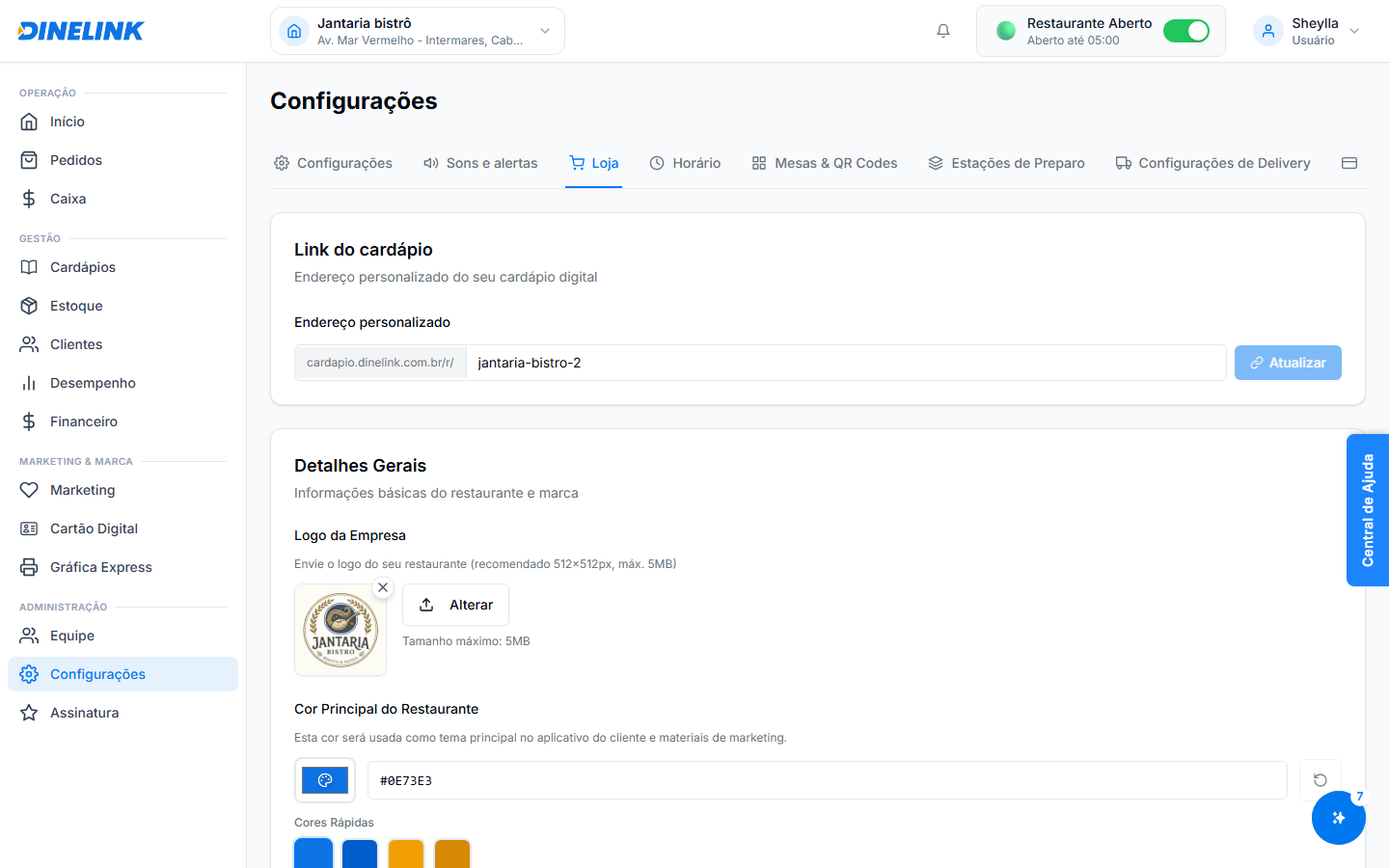
Gerencie as configurações principais do seu restaurante, incluindo URLs personalizadas e slugs para facilitar o acesso dos clientes.

## Sistema de Slugs do Restaurante

Agora, cada restaurante pode ter um **slug** único que será usado para criar URLs personalizadas. Isso facilita o acesso dos clientes ao seu restaurante online.

### Como configurar ou atualizar o slug do restaurante

{% stepper %}
{% step %}

#### Passo 1: Acesse as Configurações do Restaurante

Vá para **Configurações > Restaurante** no painel do administrador.
{% endstep %}

{% step %}

#### Passo 2: Edite o campo "Slug"

No campo **Slug**, insira o identificador único que deseja usar para o seu restaurante.
{% endstep %}

{% step %}

#### Passo 3: Salve as alterações

Clique em **Salvar** para aplicar o novo slug.
{% endstep %}
{% endstepper %}

{% hint style="warning" %}
Certifique-se de que o slug é único. Caso já esteja em uso, você será solicitado a escolher outro.
{% endhint %}

### Como funciona o fallback para slugs legados

Se um cliente tentar acessar um URL antigo do restaurante, o sistema redirecionará automaticamente para o novo URL configurado com o slug atualizado.

{% hint style="info" %}
Isso garante que seus clientes sempre encontrem o restaurante, mesmo que o URL tenha mudado.
{% endhint %}


---

# Agent Instructions
This documentation is published with GitBook. GitBook is the documentation platform designed so that both humans and AI agents can read, navigate, and reason over technical content effectively. Learn more at gitbook.com.

## Querying This Documentation
If you need additional information that is not directly available in this page, you can query the documentation dynamically by asking a question.

Perform an HTTP GET request on the current page URL with the `ask` query parameter, and the optional `goal` query parameter:

```
GET https://ajuda.dinelink.com.br/configuracoes-e-equipe/restaurant.md?ask=<question>&goal=<endgoal>
```

`ask` is the immediate question: it should be specific, self-contained, and written in natural language.
`goal` is optional and describes the broader end goal you are ultimately trying to accomplish on behalf of the user. GitBook uses it to tailor the answer towards what is most useful for that goal.

The response will contain a direct answer to the question and relevant excerpts and sources from the documentation.

Use this mechanism when the answer is not explicitly present in the current page, you need clarification or additional context, or you want to retrieve related documentation sections.