> For the complete documentation index, see [llms.txt](https://ajuda.dinelink.com.br/llms.txt). Markdown versions of documentation pages are available by appending `.md` to page URLs; this page is available as [Markdown](https://ajuda.dinelink.com.br/cardapio-digital/categories.md).

# Categorias e Cardápios

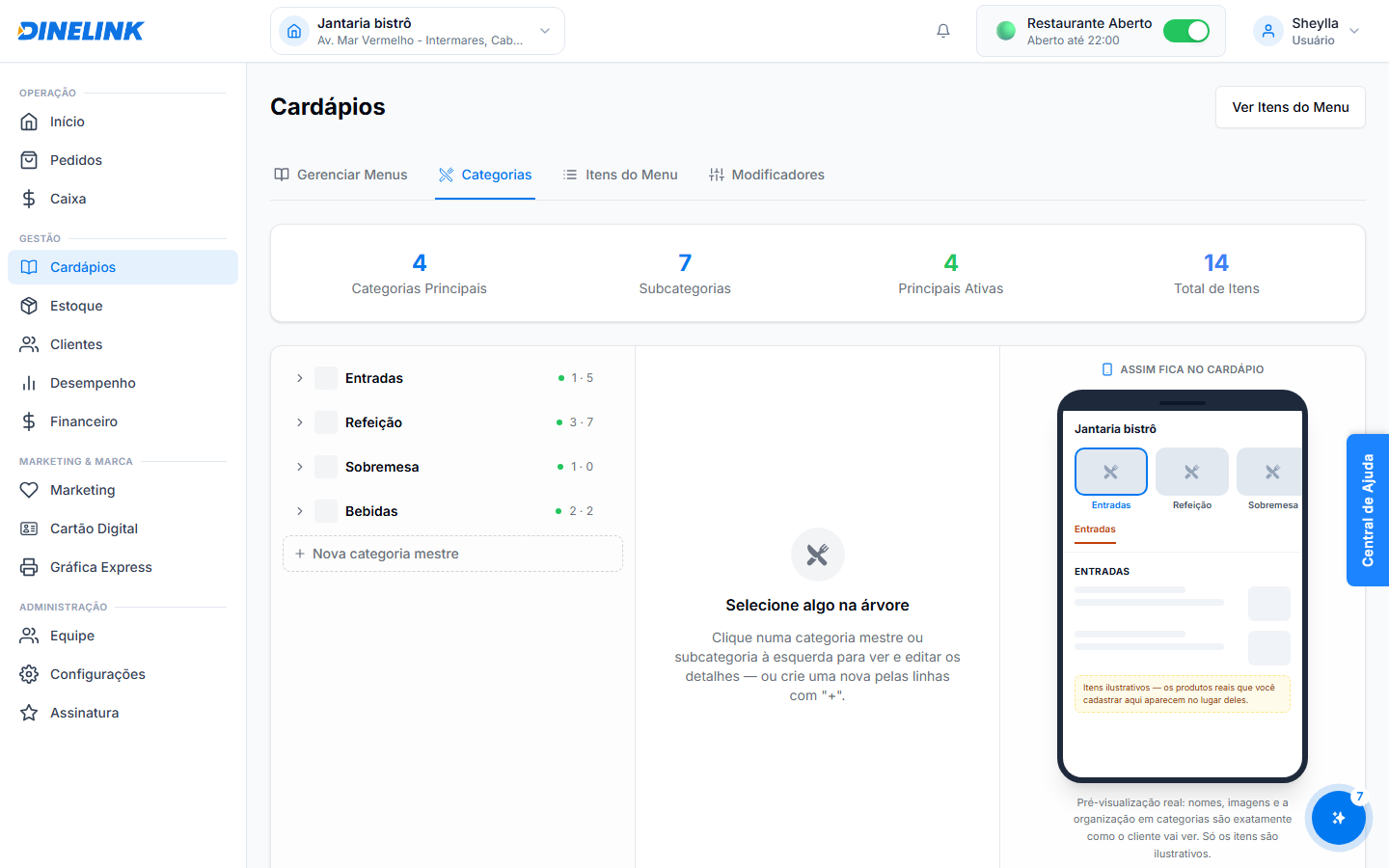
A organização do seu cardápio começa pelas Categorias. No DineLink, as **Categorias Principais** definem a estrutura visual para os seus clientes.

### Criando sua Primeira Categoria

Para criar uma categoria, acesse o menu **Cardápio > Categorias**.

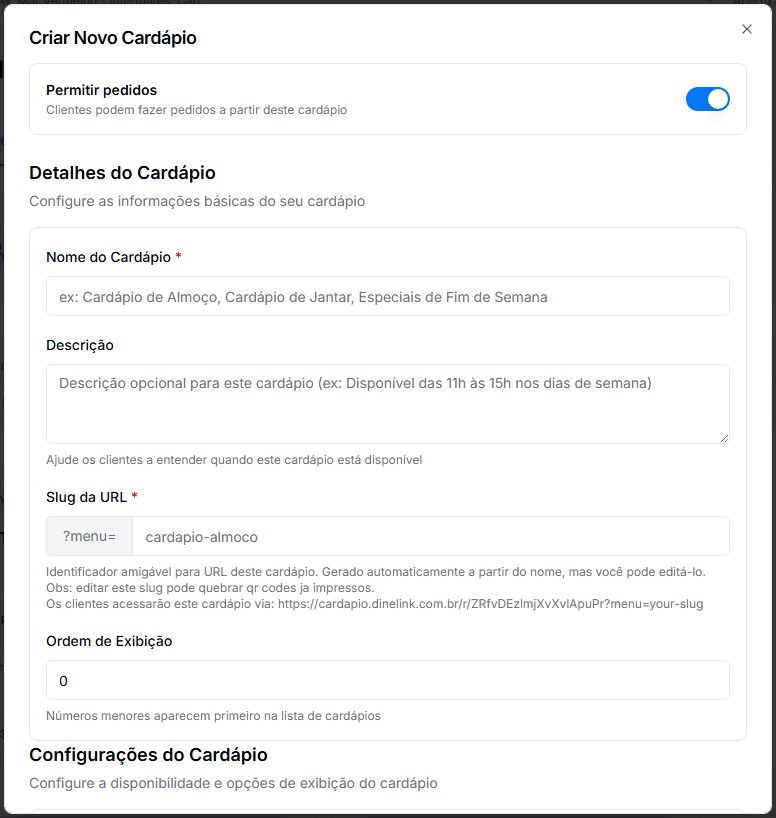
| Campo                      | Importância                                                 |
| -------------------------- | ----------------------------------------------------------- |
| **Nome**                   | Exemplo: "Hambúrgueres", "Entradas", "Bebidas".             |
| **Ordem de Exibição**      | Define qual categoria aparece primeiro para o cliente.      |
| **Status (Ativo/Inativo)** | Permite ocultar uma categoria inteira temporariamente.      |
| **Imagem da Categoria**    | Foto que ajuda o cliente a identificar o grupo visualmente. |

{% hint style="info" %}
Recomendamos criar de 5 a 10 categorias para manter a navegação simples para o cliente.
{% endhint %}

### Categorias do KDS (Destinos)

Você pode vincular cada categoria a uma **Estação de Produção**. Isso garante que:

* Pedidos da categoria "Bebidas" saiam na impressora do Bar.
* Pedidos da categoria "Pizzas" saiam na impressora do Forno.

### Horários de Exibição

O DineLink permite configurar categorias que aparecem apenas em horários específicos:

* **Menu Almoço**: Ativo apenas das 11h às 15h.
* **Menu Happy Hour**: Ativo de segunda a sexta, das 17h às 19h.


---

# Agent Instructions
This documentation is published with GitBook. GitBook is the documentation platform designed so that both humans and AI agents can read, navigate, and reason over technical content effectively. Learn more at gitbook.com.

## Querying This Documentation
If you need additional information that is not directly available in this page, you can query the documentation dynamically by asking a question.

Perform an HTTP GET request on the current page URL with the `ask` query parameter, and the optional `goal` query parameter:

```
GET https://ajuda.dinelink.com.br/cardapio-digital/categories.md?ask=<question>&goal=<endgoal>
```

`ask` is the immediate question: it should be specific, self-contained, and written in natural language.
`goal` is optional and describes the broader end goal you are ultimately trying to accomplish on behalf of the user. GitBook uses it to tailor the answer towards what is most useful for that goal.

The response will contain a direct answer to the question and relevant excerpts and sources from the documentation.

Use this mechanism when the answer is not explicitly present in the current page, you need clarification or additional context, or you want to retrieve related documentation sections.